
Epson Document Capture Pro helps organizations move information documents into digital systems with greater ease and consistency

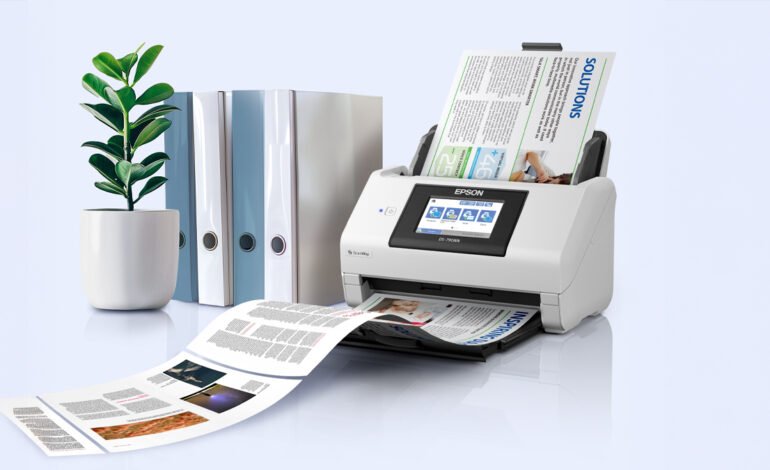
Epson Document Capture Pro supports this process by helping businesses create structured scanning workflows through compatible Epson DS series devices.
In many offices, a single document can pass through several steps before the work around it is complete. An invoice may need approval before filed for future reference. A signed contract may need to be stored in a shared folder, while a completed form may need to be scanned, named, sorted, and sent to another team.
As businesses bring more of their operations into digital systems, they are also reviewing how physical documents fit into those processes. Printed forms, contracts, invoices, receipts, and records continue to move through many workplaces. Businesses need an efficient way to capture the information on those pages and make it available through the systems their teams already use.
Epson Document Capture Pro supports this process by helping businesses create structured scanning workflows through compatible Epson DS series devices, allowing organizations to access its document capture and workflow capabilities without purchasing separate software.
A Smarter Way to Capture and Manage Documents
Document Capture Pro allows organizations to create up to 30 customizable scan jobs, depending on the device used. By configuring workflows around commonly processed documents, teams can apply consistent settings and reduce repetitive manual steps.
The software also includes optical character recognition (OCR), which recognizes text within scanned pages and turns physical documents into searchable digital information. Beyond improving document retrieval, OCR helps organizations make better use of the information they capture.
Document Capture Pro supports common file formats including JPEG, PDF, TIFF, PNG, DOCX, XLSX, and PPTX, depending on the device and operating system. Through OCR, you can converted scanned documents into editable Microsoft Word, Excel, and PowerPoint files, making it easier to update, repurpose, and share content.
This can be particularly useful for educators, trainers, and teams that regularly develop presentations and learning materials. For example, a page from a textbook or training manual scanned and converted into a PowerPoint file, allowing users to adjust fonts, update layouts, and tailor content without recreating it from scratch. Similarly, printed reports and tables can be converted into editable Word and Excel files for collaboration and analysis.
For organizations handling large volumes of documents, Document Capture Pro can also automatically separate scanned files using predefined conditions such as blank pages, barcodes, OCR, form type, file size, and patch codes. Once captured and organized, documents routes to compatible cloud storage services, including Google Drive and Microsoft OneDrive, helping create a more seamless path from document capture to storage and access.
Building Workflows Around How Businesses Work
Document Capture Pro gives organizations tools to create repeatable processes around the documents they manage regularly, from initial capture and organization through to storage and retrieval.
“For many businesses, physical documents remain part of daily operations even as more work moves into digital systems. Epson develops document solutions that help make these processes easier to manage and help employees access the information they need,” said Noelle Gonzalez, Head of Marketing at Epson Philippines Corporation.
As businesses continue to modernize, document workflows will evolve alongside the systems employees use to do their work. The focus is increasingly on making information easier to capture, organize, and access wherever it begins.
By connecting physical documents with digital systems through a clear and repeatable process, businesses can reduce repetitive tasks and make everyday information easier for their teams to manage.
For more information about Epson Document Capture Pro, visit the Epson Philippines website.